After updating Horizon View to 8.3, the Web browser access doesn't work anymore. Here's how to fix it.
Last weekend we upgraded the VMware Horizon infrastructure on premises.
[Reinhard Partmann (consultant) and Johannes Strasser, Markus Göschl (Customer IT SDDC specialists)]
The customer is using VMware Horizon Enterprise so we upgraded Dynamic Environment Manager, AppVolumes, Horizon View Agents and Horizon Connection Servers, Unified Access Gateways.
Because we have staged all the install binaries and had our ducks in a row the upgrade went from a timing perspective perfectly fine. As nothing else changed in the infrastructure we started investigating where the issue might be. After a couple of further checks we assumed that a change in the default settings or code must have happened. Our connection tests which we conducted internally and externally we discovered that the access using a web browser was not working everything else was fine.
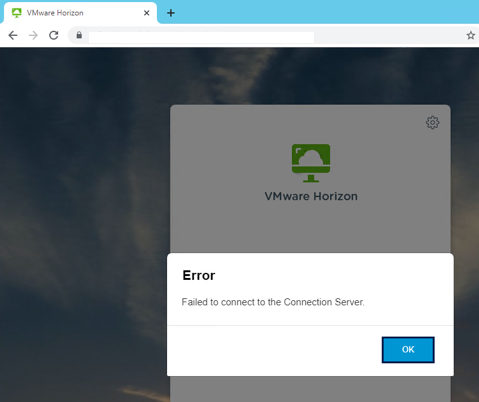
Problem:
Access through Web browser does not work.
Solution:
On each connection open/create the "locked.properties" file using a plain text editor. Add the following line to the locked.properties file
enableCORS=false
Restart the Horizon Connection Server Service or restart the Operating System.
As far as we know this issue will be addressed in a future release of Horizon View.
Have fun with your VDI again through a Web browser ;-)